
JPG vs PNG vs WEBP: Which Image Format Should You Use?
A comprehensive comparison of JPG, PNG, and WEBP image formats. Learn when to use each format fo...
Read guideTurn JPG, PNG or GIF into WEBP, the web format that is 25 to 34 percent smaller than JPG with no visible quality loss. The size saving shows before you download, and nothing is uploaded.
Every screenshot below is this exact tool converting a real 1.59 MB PNG to WEBP.
Drag a JPG, PNG or GIF onto the box, or a whole folder for a batch. It loads instantly and stays on your device.
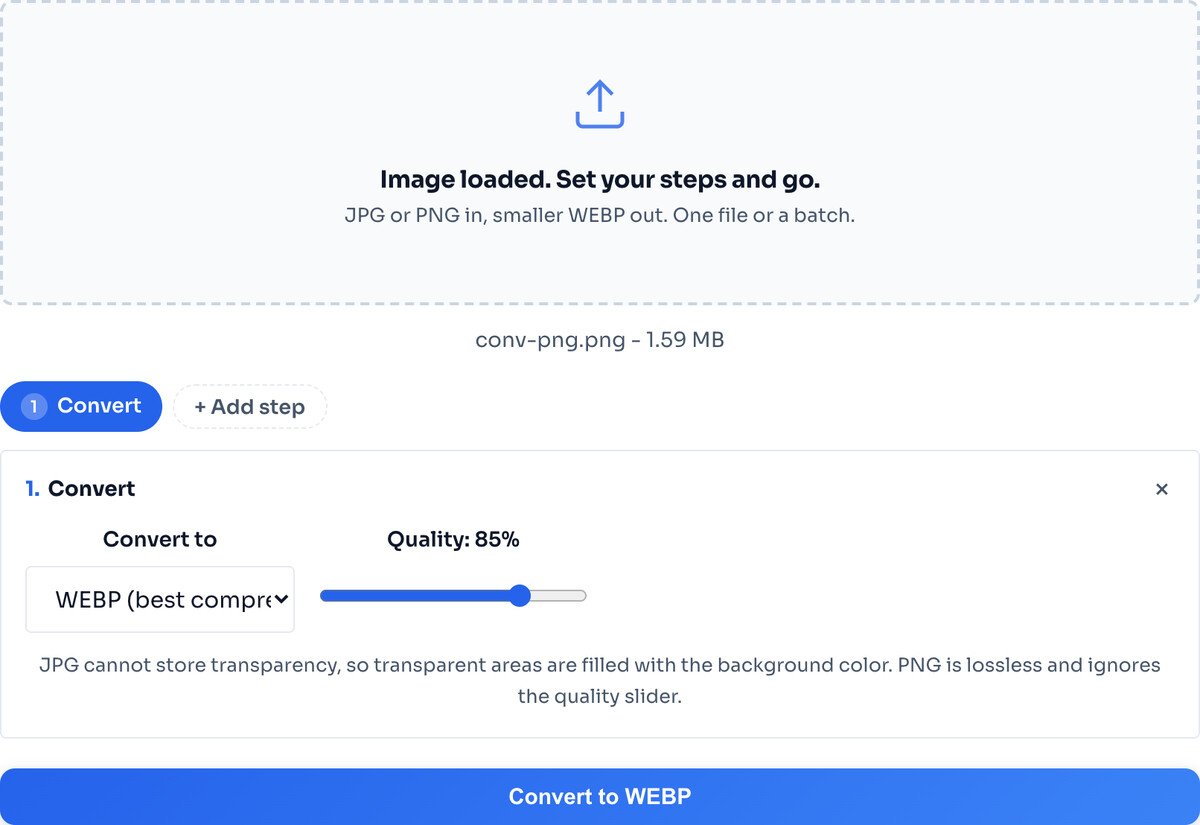
The default of 85 is near-lossless and already far smaller. Drag it lower only if you want to squeeze the file further and can accept faint softening. Transparency is kept automatically.
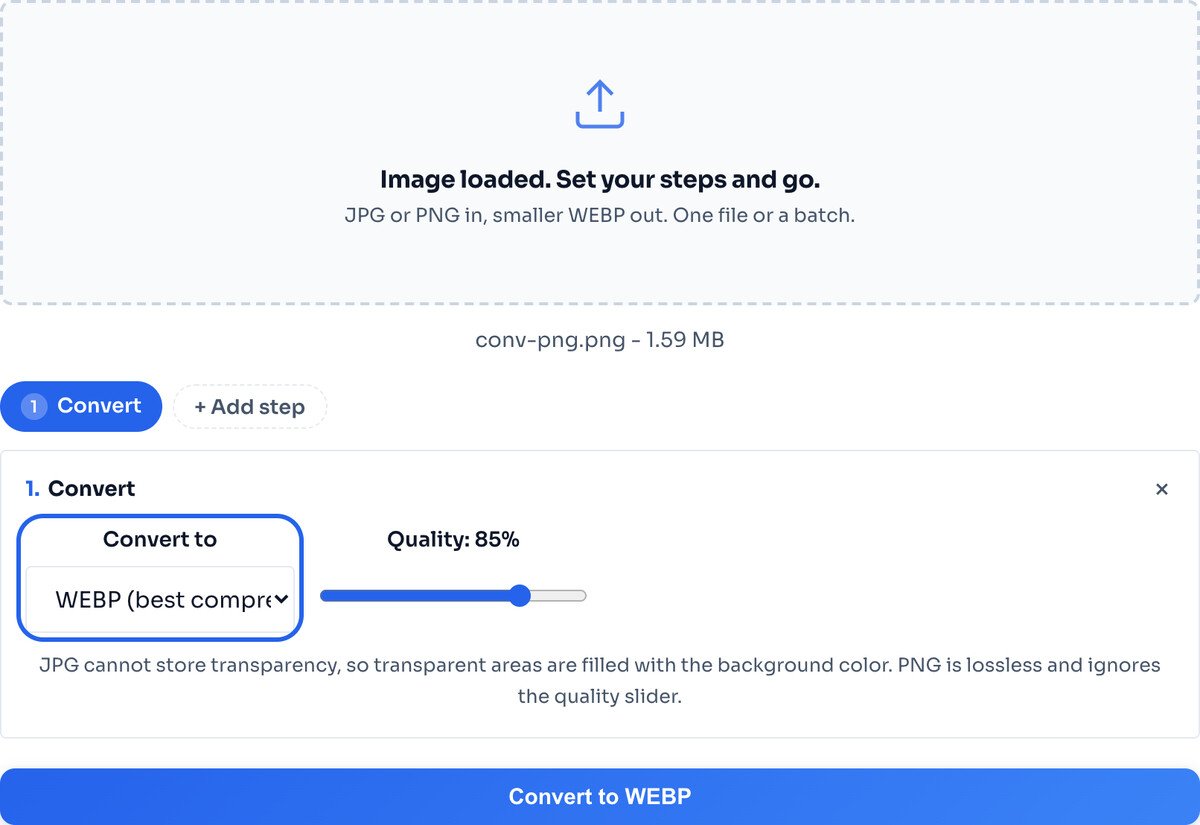
Hit Convert and the result row shows the WEBP size against the original. Download the single file, or a whole batch as one ZIP. Nothing saves until you click.
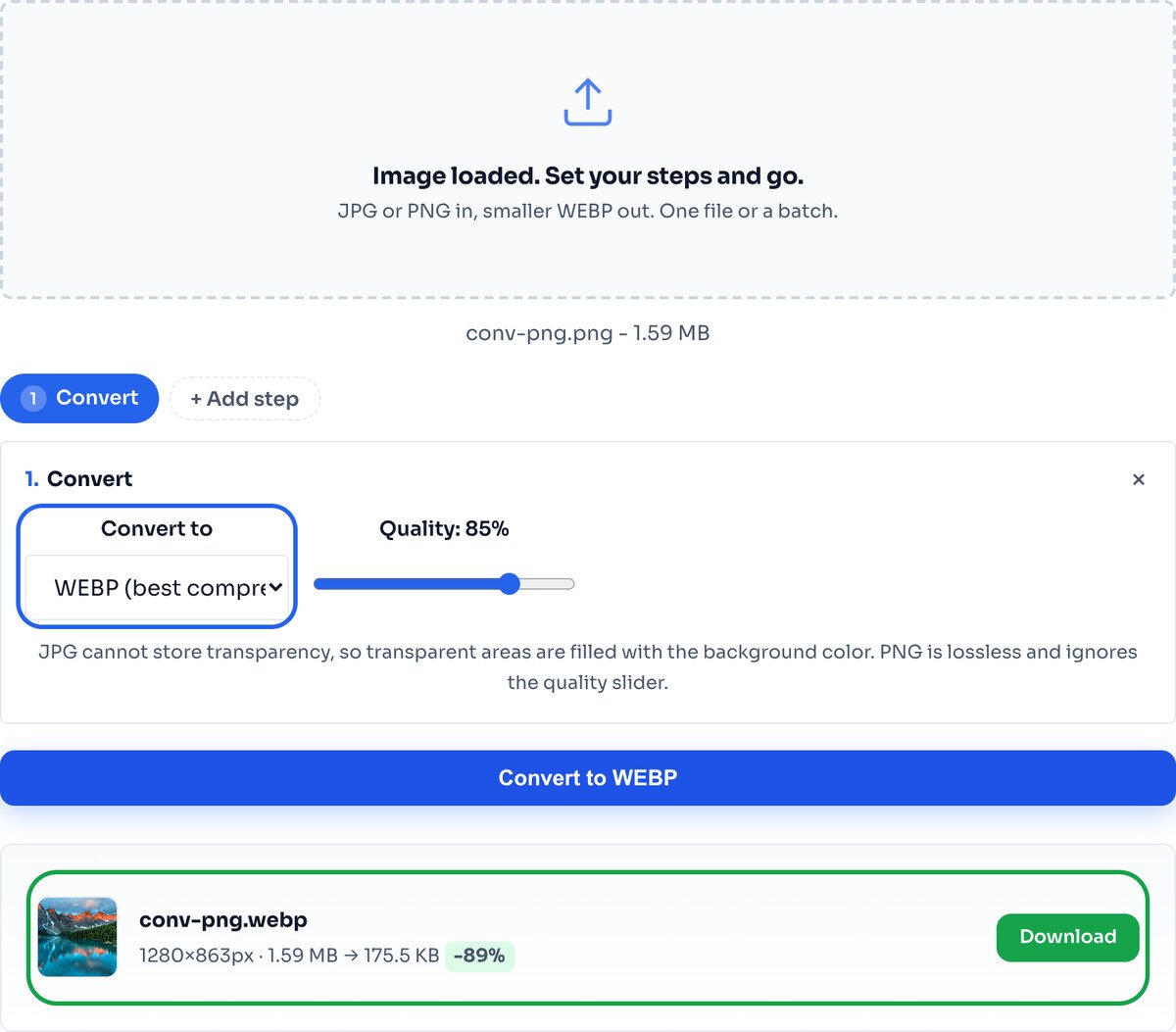
That drop is large because PNG is lossless; converting an already compressed JPG, expect Google's 25 to 34 percent figure instead. Either way the image on screen looks the same, and transparency is kept.
Use it to serve images on the web. This is where WEBP shines: hero images, galleries, product shots, anything loading in a browser. Smaller files mean faster pages and a better Largest Contentful Paint, which is a Google ranking signal.
Use it to replace big PNGs. A transparent PNG logo or cut-out becomes a much smaller WEBP with the alpha channel intact, so you keep the clean edges at a fraction of the weight.
Do not use it for handoff. If you are emailing a file to someone on old desktop software, or sending artwork to a print shop, send a JPG or PNG. WEBP is a web delivery format, not an interchange one.
To go the other way, WEBP back to JPG or PNG, use the Image Converter or the Image Compressor and pick the output format there.
An animated GIF converts to a single still WEBP frame. For animation, keep the GIF.
Over 95 percent of browsers read WEBP, but for the last few percent keep a JPG fallback inside an HTML picture element so nobody sees a broken image.
Google measures lossy WEBP at 25 to 34 percent smaller than JPG at the same visual quality. The exact gap depends on the image: a photo that is already heavily compressed saves less than a clean original. Converting a large PNG, the drop is far bigger, because you are swapping a lossless format for a compressed one.
No, not at sensible settings. At quality 80 and above the WEBP and the source are indistinguishable on screen. The only change is the file size.
Yes, in practice. Chrome, Firefox, Edge, Opera and Safari 14 and later all read WEBP, which is over 95 percent of browsers in use. For very old browsers, keep a JPG fallback with the HTML picture element.
Yes, a full alpha channel like PNG, so a transparent PNG can become a smaller transparent WEBP with the cut-out edges intact.
Yes. WordPress 5.8 and later accept WEBP in the media library and serve it like any other image, no plugin needed.
This tool only converts to WEBP. To go the other way, use the Image Converter or the Image Compressor and pick JPG or PNG as the output format.
No. Conversion runs in your browser through the Canvas API, so the file is processed on your own device and never reaches a server.
Any format in, clean JPG, PNG or WEBP out, in one click.
Open toolShrink JPG, PNG or WEBP to a target size like 100 KB.
Open toolTurn heavyweight PNGs into small, shareable JPGs.
Open toolGo the other way when you need lossless or transparency.
Open toolThe newest format, smaller still than WEBP on modern browsers.
Open toolResize to exact pixels or percent, then convert in one pass.
Open toolCompress a whole folder at once and download a ZIP.
Open toolCut a background out, then save the result as a small WEBP.
Open toolA comprehensive comparison of JPG, PNG, and WEBP image formats. Learn when to use each format fo...
Read guideAVIF adoption grew 386% in two years while JPEG keeps fading. But does that mean you should drop...
Read guideA complete guide to image SEO optimization. Learn about alt text, file names, compression, forma...
Read guideUnoptimized images are the number one cause of slow WordPress sites. This complete guide covers...
Read guide

