
How to Make a Favicon That Looks Sharp on Every Browser and Device
Open a browser with ten or fifteen tabs. Without the tiny icons next to each page title...
Read guideDrop one square image and get the whole set: a favicon.ico, the PNG sizes browsers and phones actually use, a web app manifest, and the exact link tags to paste into your head. Built in your browser.
Best results with a 512 by 512 PNG or SVG, sharp edges, minimal detail
Drop a square logo, click generate, and download the pack. The screenshot below is a real run: one 512px logo turned into every size a browser or phone asks for.
A 512 by 512 PNG or an SVG works best, with bold shapes and minimal detail. Set a background colour for the non-transparent sizes, add padding if the logo sits tight, and keep the iOS rounding on to match Apple's mask.
Click Generate and the tool renders every size fresh from your source, shows a preview of each, and writes the exact HTML link tags for you. Download the ZIP and drop the files into your site root.
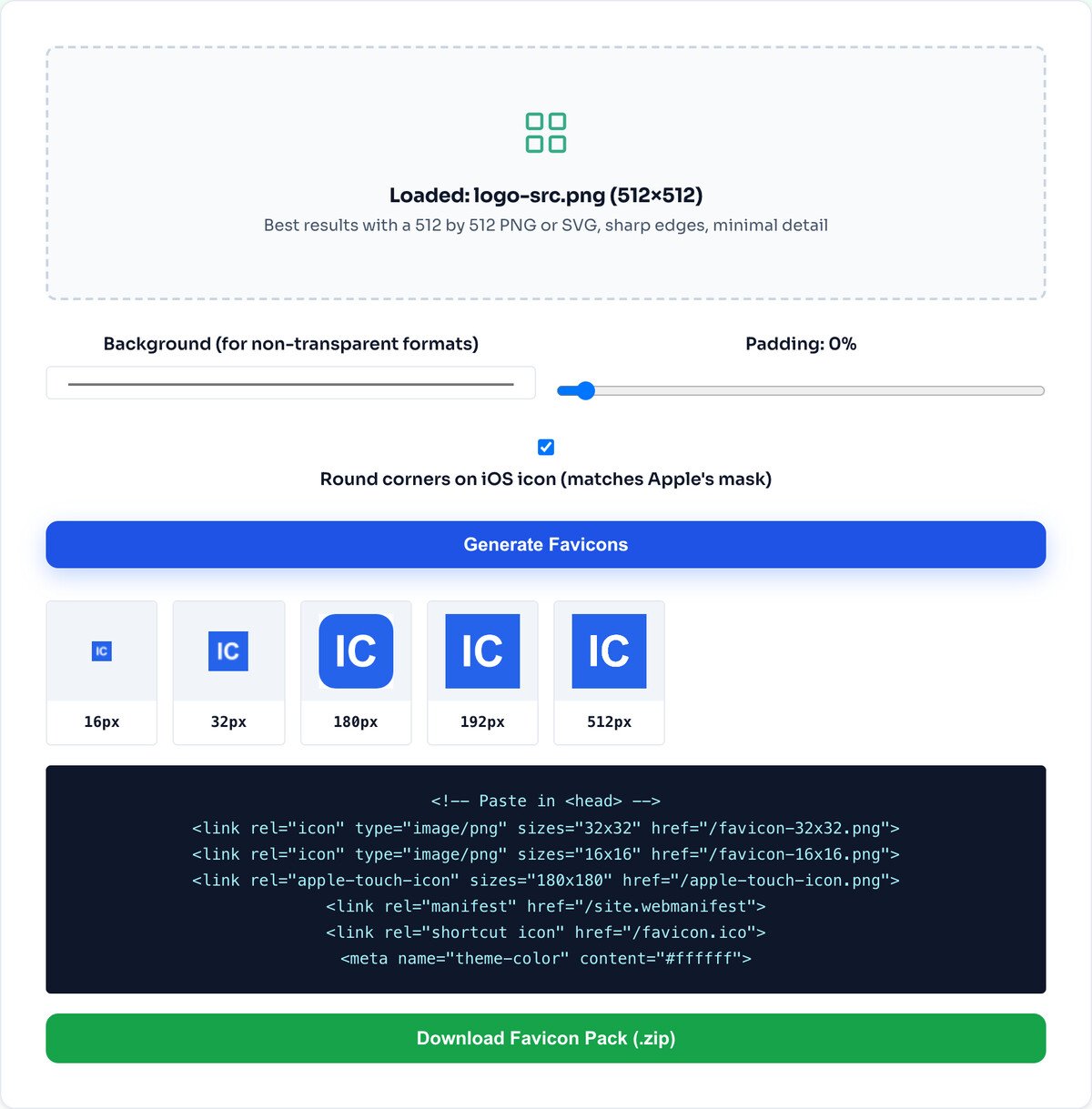
A favicon is not one file any more. Each place that shows your icon wants its own size, and the tool builds all of them:
Ship only a single tiny icon and most of these fall back to a blurry upscale or a generic globe. Providing each size is what makes your site look finished on every device.
Generating the images is only half the job; the browser still needs to be told they exist. The tool writes the link tags for you, so you paste them into your page head and you are done:
<link rel="icon" type="image/png" sizes="32x32" href="/favicon-32x32.png">
<link rel="icon" type="image/png" sizes="16x16" href="/favicon-16x16.png">
<link rel="icon" type="image/png" sizes="48x48" href="/favicon-48x48.png">
<link rel="apple-touch-icon" sizes="180x180" href="/apple-touch-icon.png">
<link rel="manifest" href="/site.webmanifest">
Drop the downloaded files into your site root folder so those paths resolve, and the correct icon appears everywhere automatically.
At 16 pixels, fine lines, small text and gradients turn to mush. The tool renders your source faithfully, but a favicon needs a bold, simple shape to read at that size. Simplify the logo first if it looks muddy.
It resizes and packages the image you give it. If you do not have a logo yet, you need to make one first; this tool turns an existing square graphic into a favicon set.
Favicons are square. Feed it a wide or tall image and it fits it into a square frame, which rarely looks right. Crop to a square first with the crop tool for a clean icon.
Because different places pull different sizes: the browser tab uses 16 or 32, Windows and some browsers reach for 48, the iPhone home screen wants 180, Android uses 192, and an installed web app uses 512. Ship only one tiny icon and most of those end up blurry or fall back to a generic globe. This tool builds all six in one go, plus a multi-size favicon.ico.
A square image, 512 by 512 or larger, with bold simple shapes and no fine detail, because detail vanishes at 16 pixels. An SVG is ideal because each size is rendered fresh and stays crisp. A busy photo makes a poor favicon at any size.
In your site root folder. The tool also shows you an install snippet with the exact link tags to paste into your page head, so you are not guessing which files to reference.
Only if you want the site to be installable as a web app on Android or as a PWA. A normal static site can ignore it, but it does no harm to include it.
Yes. There is a padding slider for logos that sit too tight to the edge, and a checkbox to round the corners on the iOS icon so it matches Apple's own mask.
No. The whole set is built in your browser with the Canvas API and JSZip. The image never leaves your device, and it works offline once the page has loaded.
Crop a logo to a clean square before making the favicon.
Open toolResize a source graphic to 512px first.
Open toolMake a round avatar to match your icon.
Open toolDrop the background so the icon sits on any tab colour.
Open toolConvert a logo to PNG for the cleanest source.
Open toolShrink other site images once the icon is done.
Open toolBrand full-size images to match your icon.
Open toolPull your brand colour for the icon background.
Open toolOpen a browser with ten or fifteen tabs. Without the tiny icons next to each page title...
Read guideA comprehensive comparison of JPG, PNG, and WEBP image formats. Learn when to use each format...
Read guidePNG transparency lets you layer images over any background without white boxes or hard edges...
Read guideMost image SEO advice is a list of thirty tips with no order to it. This is the sequence that...
Read guide

