
PNG Transparency: How to Create and Use Images With Clear Backgrounds
PNG transparency lets you layer images over any background without white boxes or hard edges...
Read guideClick the background and it flood-fills away to a transparent PNG. Built for product shots on white and photos on a flat backdrop. Honest about it: this is not an AI cutout for busy scenes, and that is why it needs no upload.
Best results: product photos on white, ID-style photos on a plain backdrop
Drop an image, click the background colour, and it flood-fills away. Below is a real cut: a subject on a flat backdrop turned into a clean transparent PNG.
Product shots on white, ID photos on a flat backdrop, and logos on a solid colour work best. The image loads onto a canvas and stays on your device.
Click a background pixel and every connected pixel within your tolerance turns transparent. Click other corners to clear separate areas. Raise tolerance for an uneven backdrop, add a little feather to soften the edge.
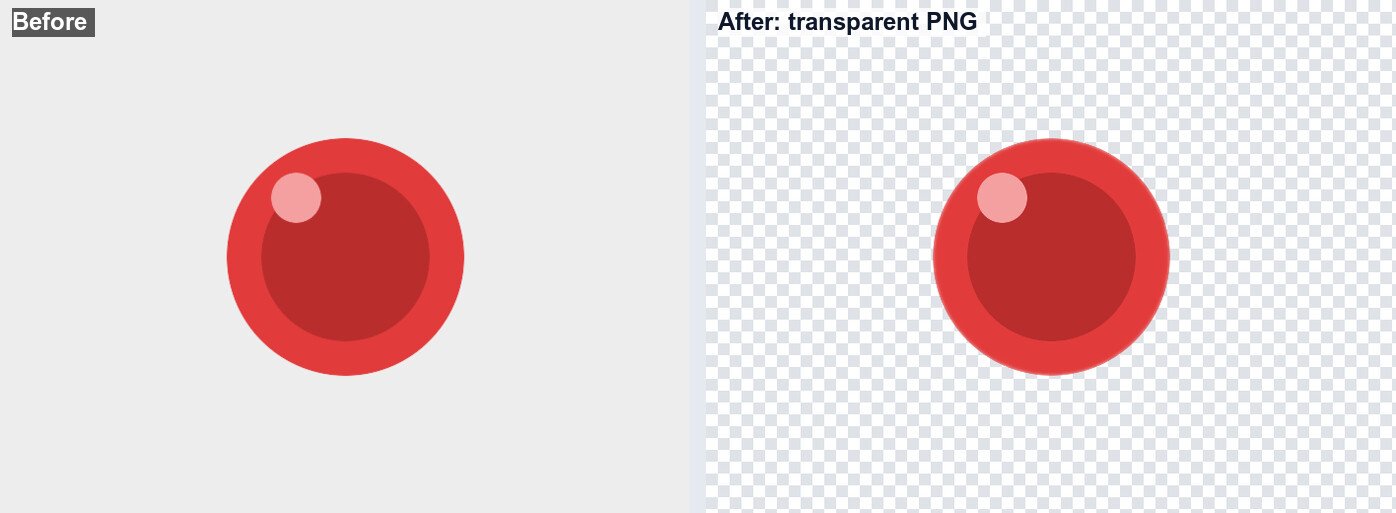
Download a transparent PNG, ready to drop onto any colour or composite into another image. Undo and Reset are there if a cut goes wrong.
This is an honest, colour-based background remover, not an AI cutout service. Knowing the difference saves you frustration:
If your image is the right kind, you get a clean cut in seconds with nothing leaving your device. If it is a person in a park, no in-browser colour tool will manage it, and that is the honest trade for keeping your photo private.
It removes background by colour, not by understanding the subject. A busy or photographic background is beyond it. That limit is the price of everything staying in your browser.
Fine strands against a background blend colours the flood fill cannot cleanly split. Expect a rough edge there, or use a different approach for portraits.
If a white shirt meets a white wall, raising tolerance to clear the wall can also clear the shirt. Lower the tolerance and accept a little leftover, or clean up in smaller clicks.
No, and we will be honest about that. This tool removes a plain or near-plain background by colour, so it shines on product shots on white and ID photos on a flat backdrop. For a person against grass or a busy street you need a heavy AI model, which would mean uploading your photo. This one stays in your browser by choice.
You click a background pixel and it flood-fills outward, turning every connected pixel within your tolerance transparent. Connected is the key word: it will not punch holes in your subject just because a shirt happens to match the wall.
Tolerance sets how different a nearby colour can be and still count as background: raise it for a slightly uneven backdrop, lower it if the cut is eating into your subject. Feather softens the cut edge by a pixel or two so it sits naturally on a new background.
Yes. Undo reverses your last click and Reset starts over, so you can try a different tolerance. You can also click several times to clear separate background areas.
A PNG with the background gone and those areas transparent, ready to drop onto any colour or another image.
No. The whole thing runs locally in your browser through the Canvas API. Your photo never leaves your device.
Trim to the subject before or after removing the background.
Open toolMake a round avatar from your cut-out subject.
Open toolBrand the finished cut-out image.
Open toolShrink the transparent PNG for the web.
Open toolSave the cut-out as PNG, WEBP or AVIF.
Open toolPull a colour to sit the cut-out on.
Open toolResize the subject for its new home.
Open toolTurn a cut-out logo into a favicon set.
Open toolPNG transparency lets you layer images over any background without white boxes or hard edges...
Read guideA comprehensive comparison of JPG, PNG, and WEBP image formats. Learn when to use each format...
Read guideBuyers decide whether to click a listing in about two seconds, and they decide on the first...
Read guideMost image SEO advice is a list of thirty tips with no order to it. This is the sequence that...
Read guide

