
How to Convert PDF to JPG and Images to PDF (Free)
Need to turn PDF pages into images, or combine photos into a single PDF? Learn how to do both...
Read guideDrop in several JPGs, PNGs or WEBPs, drag them into the right order, and get one clean PDF. Choose A4, Letter or a page that fits each image exactly. It builds in your browser, so nothing is uploaded.
JPG, PNG, WEBP - add as many as you need
Tip Drag the cards below to reorder pages.
Add your images, drag them into order, pick a page size, and build. Below is a real run: three photos queued as three pages of one document.
Drop any mix of JPG, PNG and WEBP files. Each becomes a page, shown as a thumbnail card. Drag the cards to reorder, so the first card is page one, and remove any you do not want.
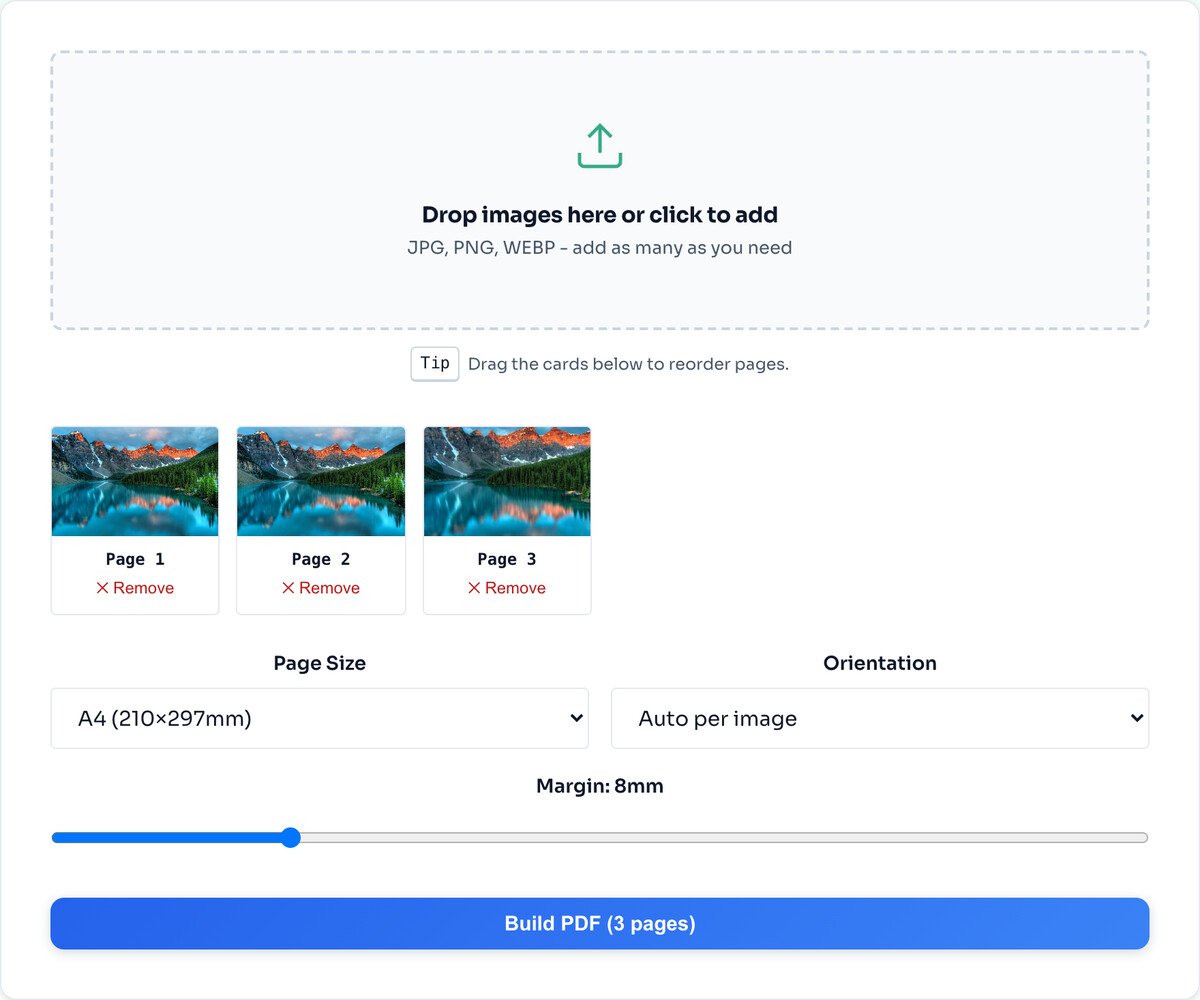
Choose A4 or Letter for a document you will print, or Fit-to-image so each page is exactly the size of its picture. Set the orientation and margin, then click Build PDF and it downloads.
A4 or Letter place each image on a standard printable page with a margin. Use these when the PDF is a document someone will print or file, like scanned receipts or a signed form.
Fit-to-image makes each page exactly the size of its image, with no border. This is the right choice for a photo book or a portfolio, where you want the picture to fill the page edge to edge.
Orientation and margin let you match the look you want: auto orientation flips each page to suit its image, and the margin slider adds breathing room on the standard sizes.
A stack of large photos makes a large PDF, since each is placed at its original size. Run them through the compressor first if the file needs to be small enough to email.
Even if your images are pages of text, the PDF holds them as pictures. The words are not selectable. Use OCR on the source images first if you need searchable text.
This tool turns images into a PDF. To split a PDF back into images, use PDF to JPG. Merging two finished PDFs needs a dedicated PDF tool.
Yes. Drag the thumbnail cards into the order you want. The PDF is built in exactly that order, so the first card becomes page one.
A4, Letter, Legal, A3, A5, and a Fit-to-image mode that makes each page exactly the size of its image, with no borders. Fit-to-image is best for photos; A4 or Letter for documents you will print.
There is no hard limit, but for a snappy build and a sensible file size, somewhere around fifty or fewer per PDF is the sweet spot.
Big source images make a big PDF, because each one is embedded at full resolution. Run them through the Image Compressor first and the resulting PDF shrinks accordingly.
Yes. Add any mix of common image formats and they all go into the one document. Each keeps its own quality.
No. The PDF is assembled in your browser with jsPDF. Your images never leave your device, and it works offline once the page has loaded.
The reverse: split a PDF back into page images.
Open toolShrink images first to keep the PDF small.
Open toolResize images to a uniform size before building.
Open toolTrim each image before it becomes a page.
Open toolConvert odd formats before adding them.
Open toolTurn iPhone photos into pages a PDF can hold.
Open toolMark each image before combining them.
Open toolExtract text from an image before making a PDF.
Open toolNeed to turn PDF pages into images, or combine photos into a single PDF? Learn how to do both...
Read guideA comprehensive comparison of JPG, PNG, and WEBP image formats. Learn when to use each format...
Read guideYour photo is 6 MB and the upload limit is 1 MB. Or your website takes seven seconds to load...
Read guideYou drop a photo into a free online compressor, a bar fills up, and a smaller file comes back...
Read guide

