
Base64 Image Encoding: A Web Developer's Complete Guide
Learn how Base64 image encoding works, when to use data URIs in HTML and CSS, and when to stick...
Read guidePaste a Base64 string or data URI and get the real image file back, ready to view and download. Works with or without the data:image prefix. It all happens in your browser, nothing is uploaded.
The screenshot is a real decode: a data URI pasted in, turned back into a viewable, downloadable image.
Drop in the string from page source, an API response, a CSS background or devtools. The prefix is optional. Paste data:image/png;base64,iVBORw0KGgo... and the tool uses the prefix as given; paste a bare iVBORw0KGgo... and it adds one for you.
Click Decode. The image appears with its real pixel dimensions and its format, which the tool reads from the first characters of the payload rather than trusting the prefix. That matters more than it sounds, because a mislabelled prefix is common and browsers quietly ignore it.
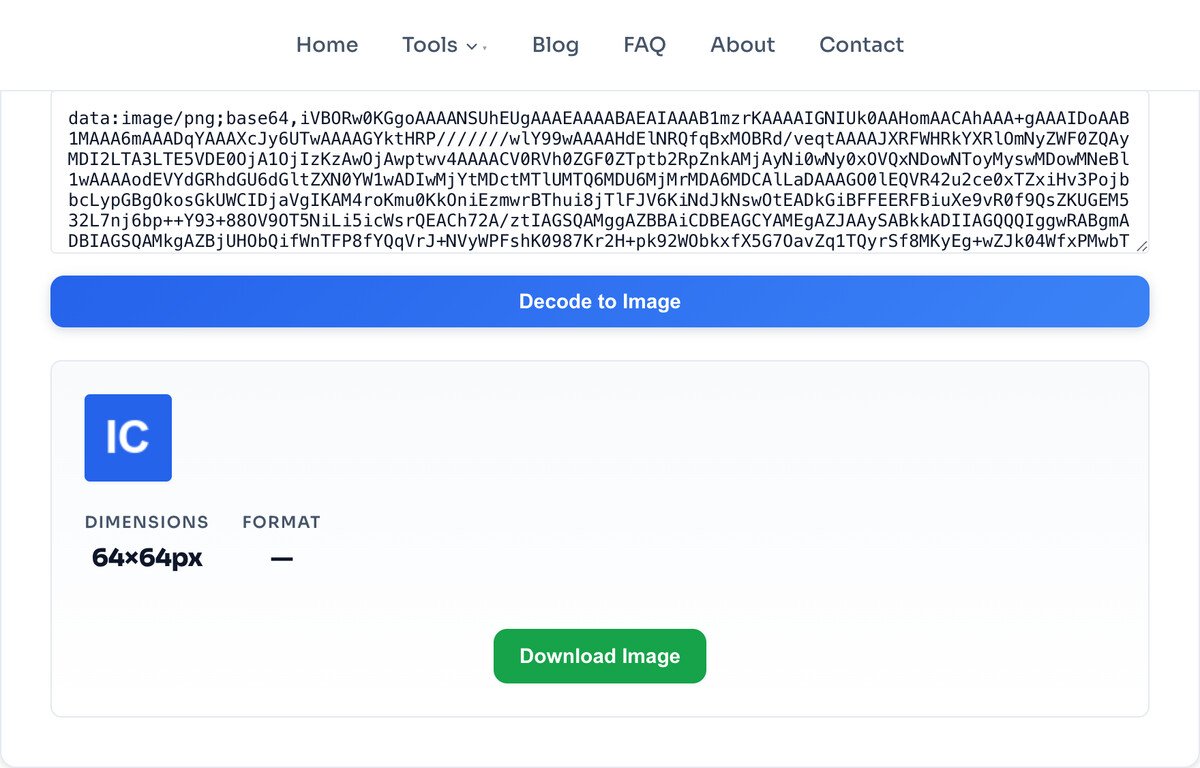
Download saves the decoded bytes with the extension that matches the detected format, so a JPEG payload lands as a .jpg and not as a .png with the wrong name on it. The bytes are the original ones. Nothing is re-encoded on the way out, so the file you get is identical to the file that was encoded in the first place.
Two shapes work. The full data URI, which looks like data:image/png;base64,iVBORw0KGgoAAAANS..., and the bare payload on its own, which is everything after that comma. If you paste the bare payload the tool wraps it for you before handing it to the browser.
You do not have to know the format in advance. Base64 encodes bytes three at a time into four characters, so a file always starts with the same recognizable run of characters. Those opening characters are a reliable fingerprint:
| String starts with | Format | Notes |
|---|---|---|
/9j/ | JPEG | Photographs, and by far the most common thing you will paste. |
iVBORw0 | PNG | Screenshots, logos, anything with transparency. |
R0lGOD | GIF | Animated GIFs decode, but only the first frame previews here. |
UklGR | WEBP | Increasingly common in inline markup and CSS. |
PHN2Zy or PD94 | SVG | SVG is text, so these strings are often much longer than the image is complex. |
Qk | BMP | Rare on the web, common in exports from older desktop software. |
Whitespace is not a problem. Line breaks and stray spaces inside the string are tolerated, which matters because copying a long data URI out of a code editor or a JSON payload usually introduces both.
A Base64 string is an image hiding inside text, and you run into them more than you would expect. Four situations account for almost every visit to this page.
You are reading someone else's markup or CSS. Inline images in page source and background-image: url(data:image/png;base64,...) rules in a stylesheet are images you cannot right-click and save, because there is no file to save. Pasting the string here gives you the file.
An API handed you an image inside JSON. Avatars, generated QR codes, signature captures, document thumbnails and chart exports are routinely returned as a Base64 field instead of a URL. When you are debugging that response, you need to see the picture, not the string.
You are working in code and something looks wrong. An image that renders as a broken icon, a canvas export that comes out blank, a thumbnail that is the wrong one entirely. Decoding the string is the fastest way to find out whether the data or the display is at fault.
Someone sent you a string instead of a file. Logs, bug reports and chat messages all lose attachments and keep text. The string survives; this turns it back into the image.
It is the exact reverse of the Image to Base64 tool, and the two are often used in the same sitting: encode to embed, decode to check what you embedded.
The usual cause is that the copy started or ended in the wrong place, or that the string is not image data at all. Check the opening characters against the table above. If they do not match any row, the payload is probably a PDF, a font or a zip, and this tool will not display it.
That is a truncated string rather than a broken one. JPEG and PNG decoders draw as much as they were given, so a copy that missed the last few thousand characters produces a partial picture instead of an error. Go back and take the string from its first character to its last.
This happens constantly in real code and it is harmless: browsers decide what an image is by inspecting its bytes, not by reading the label. A JPEG announced as data:image/png still displays. The Format stat on this page reports what the bytes actually are, which is why it sometimes disagrees with the prefix you pasted.
Base64 costs roughly a third more characters than the file has bytes, so a 5 MB image arrives as about 6.8 MB of text. There is no size cap here, but a string that large is slow to paste and slow to render, and that cost is the browser handling the text, not the decode itself.
Base64 can encode any file. This tool hands the result to the browser as an image, so a string that decodes to a PDF, a font or a zip archive will not display, even though the encoding itself is perfectly valid.
Because a partial image often still renders, the tool cannot reliably tell a whole string from a clipped one. Judge that by looking at the preview, not by trusting that no error appeared.
You get back exactly what was encoded. If the original was small or heavily compressed, the decoded file will be too. Decoding recovers data, it cannot add any.
The downloaded file keeps its animation, but the preview on this page shows a single frame. To check the animation, download it and open it.
One thing worth stating plainly, because it is the reason to use a page like this instead of an online decoder that posts your string to a server: the decode happens in your browser. The string is never transmitted, so pasting a data URI that came out of a private application, an internal API response or a customer bug report does not put that image on anyone else's machine. If you want to check that claim rather than take it on faith, our image privacy page shows you how to watch the network yourself.
No. Paste it either way. With the full data:image/jpeg;base64, prefix or just the raw payload starting with something like /9j/ for JPEG or iVBORw0 for PNG, the tool handles both. A bare payload gets a prefix added for you before it is decoded.
The one the bytes actually are. The tool reads the opening characters of the payload to identify the format, shows it in the Format stat, and gives the download the matching extension. It does not simply trust the prefix, because a mislabelled prefix is common.
Most often the copy started or ended in the wrong place, or the payload is not an image at all. Whitespace and line breaks inside the string are tolerated, so those are rarely the cause. Check the first characters against the format table on this page: if they match no row, the data is probably not an image.
The string was truncated. JPEG and PNG decoders draw whatever they were given, so a clipped string produces a partial image rather than an error. Recopy the string from its first character to its last.
No. Base64 is an encoding, not a compression method, so decoding returns the original bytes exactly. The downloaded file is identical to the file that was encoded, and nothing is re-compressed on the way out.
JPEG, PNG, GIF, WEBP, BMP and SVG, which covers everything a browser can display. Animated GIFs download with their animation intact but preview as a single frame here.
There is no fixed cap. Base64 uses about a third more characters than the file has bytes, so a 5 MB image becomes roughly 6.8 MB of text. Very long strings are slow to paste and slow to render, and that cost comes from the browser handling the text rather than from the decode.
No. Decoding happens in your browser, so the string is never transmitted to a server. That is the reason to use this rather than a decoder that posts your data somewhere: a data URI from a private app or a customer bug report stays on your machine.
The reverse: turn an image into a data URI.
Open toolShrink the decoded file if it is large.
Open toolChange the decoded image to another format.
Open toolResize the decoded image to what you need.
Open toolTrim the decoded image down.
Open toolTurn a decoded logo into a favicon set.
Open toolEnlarge a small decoded image.
Open toolInspect what a decoded photo carries.
Open toolLearn how Base64 image encoding works, when to use data URIs in HTML and CSS, and when to stick...
Read guideMost image SEO advice is a list of thirty tips with no order to it. This is the sequence that...
Read guideA comprehensive comparison of JPG, PNG, and WEBP image formats. Learn when to use each format...
Read guideYou drop a photo into a free online compressor, a bar fills up, and a smaller file comes back...
Read guide

