
How to Convert PDF to JPG and Images to PDF (Free)
Need to turn PDF pages into images, or combine photos into a single PDF? Learn how to do both...
Read guideRender every page of a PDF as a sharp JPG or PNG, at up to print resolution, and download the lot as a ZIP. Pick a page range if you only need some. Built on PDF.js, running entirely in your browser.
Single .pdf file
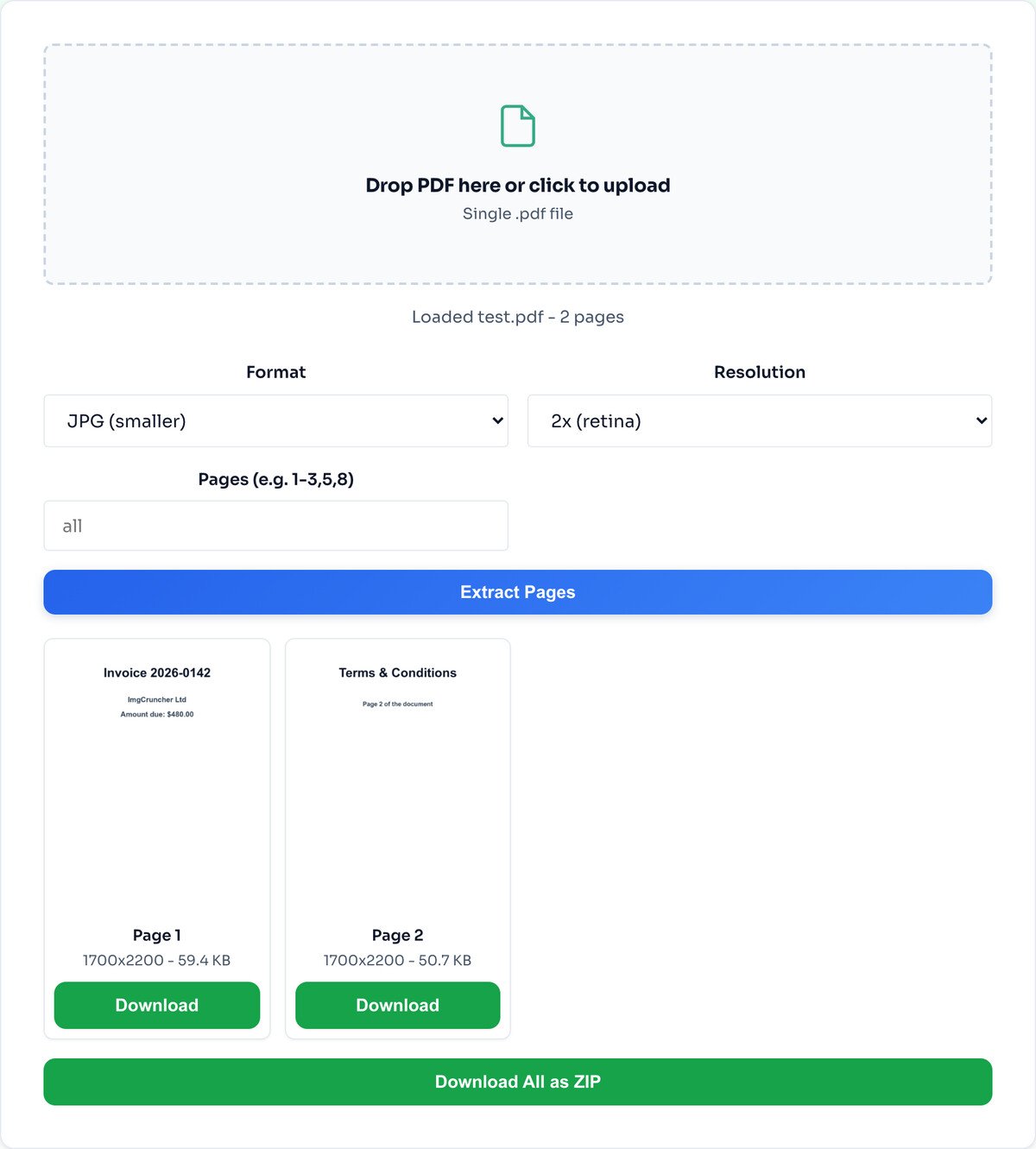
Drop a PDF, choose the format and resolution, and extract. Below is a real run: a two-page PDF turned into two downloadable images.
Pick JPG for smaller files or PNG for crisp text, choose 1x, 2x or 3x resolution, and optionally type a page range like 1-3,7 to pull only certain pages. The whole file is read in your browser.
Each page renders to an image you can download on its own, or grab them all as one ZIP. In this run the two pages came out at 1700 by 2200 pixels, 59.4 KB and 50.7 KB, at 2x quality.
Format. JPG makes smaller files and suits photo-heavy pages. PNG is lossless and keeps text, tables and diagrams razor sharp, at the cost of a bigger file. For a scanned document you plan to read, PNG at 2x is a safe pick.
Resolution. 1x is screen resolution, fine for a quick preview. 2x doubles the pixels for retina screens and zooming in. 3x is print-quality. Higher looks sharper but produces a larger image, so match it to how the page will be used.
Pages. Leave it on all, or type a range like 1-3,7,10-12 to extract only the pages you actually need from a long document.
Each page becomes a picture. You cannot select or copy the text out of the result. If you need the words, run the image through the Image to Text OCR tool afterwards.
Password-protected files will not open in the browser reader. Remove the password with a desktop tool first, then convert.
A 200-page or 100 MB PDF renders entirely in browser memory, which can be slow or run out of room on an older phone. Large jobs are happier on a laptop.
No. The conversion runs entirely in your browser using PDF.js. Your file never leaves your device, which matters because PDFs are often contracts, statements and scans you do not want on someone else's server.
1x is screen resolution, roughly 72 DPI. 2x doubles the pixel density, great for retina screens or zooming in. 3x is print-quality, around 216 DPI. Pick higher for sharper output at the cost of a bigger file.
Yes. Enter a page range like 1-3,7,10-12 in the page selector to extract only the pages you need, instead of every page in the document.
There is no hard cap, but PDFs over 100 MB or 200 plus pages may be slow on a phone, since the whole conversion happens in your browser memory. On a laptop, large files are fine.
No. A protected PDF cannot be opened by the browser reader. Remove the password first with a desktop tool, then convert.
JPG for photo-heavy pages, since it makes smaller files. PNG for pages with sharp text, tables and diagrams, where its lossless quality keeps lines crisp at the cost of a larger file.
Yes, unlimited, with no sign-up and no watermarks. The tool is funded by unobtrusive ads, not by your documents.
The reverse: combine images back into one PDF.
Open toolPull selectable text out of an extracted page.
Open toolShrink the extracted pages for sharing.
Open toolChange the extracted images to another format.
Open toolTrim an extracted page to just the part you need.
Open toolResize the pages for a document or the web.
Open toolStamp extracted pages as confidential.
Open toolRedact sensitive details on an extracted page.
Open toolNeed to turn PDF pages into images, or combine photos into a single PDF? Learn how to do both...
Read guideA comprehensive comparison of JPG, PNG, and WEBP image formats. Learn when to use each format...
Read guideYou drop a photo into a free online compressor, a bar fills up, and a smaller file comes back...
Read guideMost image SEO advice is a list of thirty tips with no order to it. This is the sequence that...
Read guide

