
Image Upload Failed? 15 Real Reasons It Happens (and How to Fix Each One)
You select an image, click Upload, wait a few seconds... then nothing happens. The frustrating...
Read guideTurn iPhone HEIC and HEIF photos into JPGs that open everywhere. Drop a whole batch, set the quality once, and download them all. It runs in your browser, so your photos are not uploaded.
.heic / .heif, single photo or a whole bulk batch
The screenshot below is a real run: a 138.4 KB iPhone HEIC converted to a JPG that opens anywhere.
One photo or the whole camera roll. .heif works identically. They load on your device and nothing is uploaded.
The default of 90 is right for photos. Drop it to 80 if the output size matters more than a small amount of detail.
Every photo gets its own download button, plus one Download All as ZIP for the whole batch.
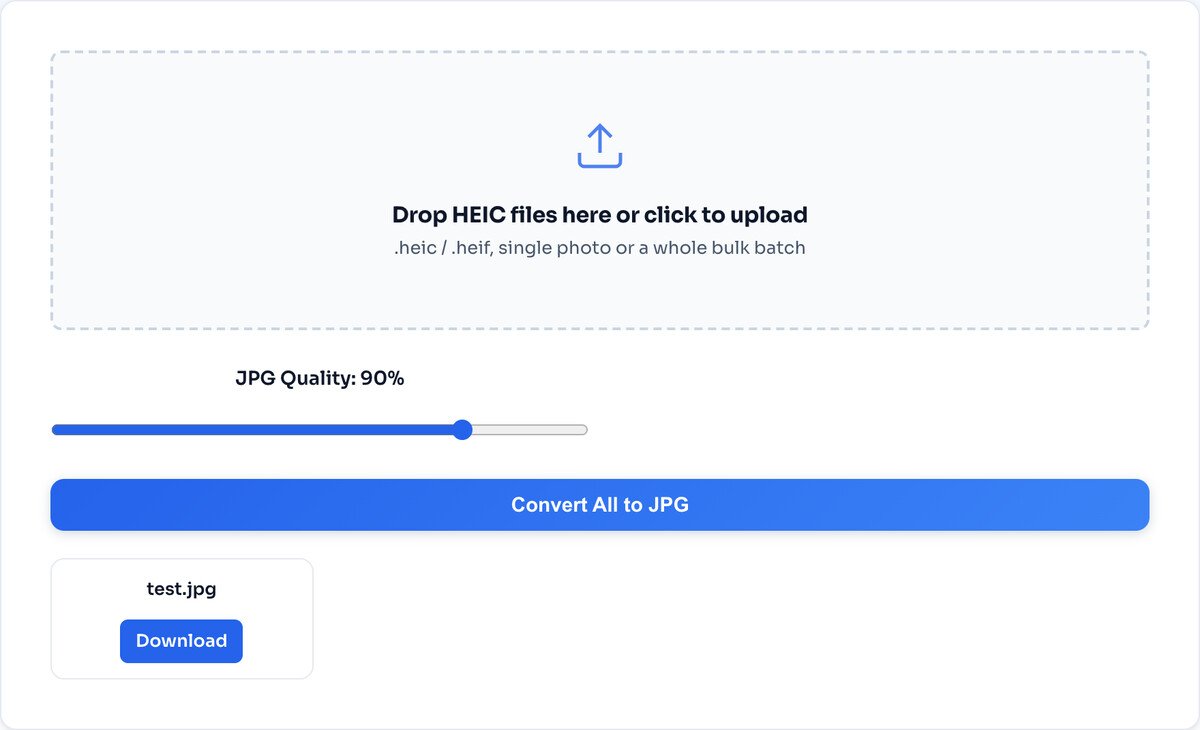
The JPG is larger, and that is expected: HEIC uses the same efficient codec as 4K video, so it packs more into fewer bytes. You trade some size for a file that opens on any device. Shrink it back with the compressor if the size matters.
A .heic file is a HEIF container holding a picture squeezed by HEVC, the same codec that compresses 4K video. That heritage is why it beats JPG so badly on size, and also why so much software refuses it: decoding HEVC requires patent licences that many vendors, including parts of Windows, simply have not paid for.
Your browser cannot decode HEVC natively either, so this page brings its own decoder: a WebAssembly build of libheif is fetched alongside the page, unpacks the container, decodes the pixels in your device memory, and re-encodes them as a JPG at the quality you chose. The decoder travels to you. Your photos travel nowhere.
Since iOS 11, iPhones save photos as HEIC by default because it packs the same quality into about half the space. The catch is compatibility: Windows, older Android phones, many web upload forms and plenty of desktop software still cannot open a .heic file, which is why you see "file not supported" so often. JPG, by contrast, opens literally everywhere.
Three things worth knowing:
A HEIC Live Photo converts to a single still JPG. The short video clip attached to it is not carried over.
This converts for compatibility, not for size. If you need a smaller file, run the JPG through the compressor afterwards.
If you need PNG or WEBP from a HEIC, convert to JPG here first, then use the Image Converter for the second step.
Since iOS 11 in 2017, iPhones save photos as HEIC by default because it packs the same picture into roughly half the space of a JPG, which means twice the photos before the storage-full warning. Apple bet on a modern codec; the rest of the world has been slow to follow, so websites, Windows machines and upload forms still refuse the format daily.
No, and the direction of travel is the giveaway: this page downloads the decoder to your browser, your photos are never sent the other way. The whole conversion happens in your device memory, and when you close the tab nothing remains anywhere.
Because HEIC is simply a stronger compressor. In our own test, a 155 KB HEIC became a 275 KB JPG at quality 90. That growth is the price of universal compatibility. If the size bothers you, run the JPGs through the Image Compressor afterwards, or lower the quality slider here to 80.
Yes. Select as many .heic or .heif files as you like in one go, set the quality once, and every photo converts in sequence. Each finished file gets its own download button, and a Download All button bundles the lot into a single ZIP.
They are dropped. Conversion rebuilds the image from raw pixels, and the HEIC metadata, including where the photo was taken, does not survive the rebuild. Curious what your photos have been carrying? Run one through the EXIF Metadata Viewer before converting.
Open Settings, then Camera, then Formats, and choose Most Compatible. New photos save straight to JPG. There is a real trade though: JPGs fill your storage about twice as fast, so many people keep HEIC on the phone and convert copies only when something refuses the format.
A small number of HEICs use variants the browser decoder cannot handle, such as 10-bit HDR captures or burst sequences. The quickest fix is opening the photo in the Apple Photos app and exporting it, or updating your browser and trying again.
Shrink the converted JPGs back down to size.
Open tool12MP iPhone photos are huge. Resize before sharing.
Open toolSee what your photos were carrying before you share.
Open toolNeed PNG or WEBP instead? Convert to anything.
Open toolBundle converted photos into one document.
Open toolFrame the shot before it goes anywhere.
Open toolFresh iPhone selfie to a clean circular avatar.
Open toolMark your photos before posting them publicly.
Open toolYou select an image, click Upload, wait a few seconds... then nothing happens. The frustrating...
Read guideYour photo is 6 MB and the upload limit is 1 MB. Or your website takes seven seconds to load...
Read guideA comprehensive comparison of JPG, PNG, and WEBP image formats. Learn when to use each format...
Read guideInstagram resizes, crops and recompresses everything you upload, so the dimensions you export...
Read guide

