
How to Reduce Image File Size Without Losing Quality (2026 Guide)
Your photo is 6 MB and the upload limit is 1 MB. Or your website takes seven seconds to load...
Read guideDrop a folder of images, set the quality once or give it an exact target size, and every photo is compressed in one pass. Download results individually or grab everything as a single ZIP. Nothing is uploaded.
Every screenshot below is this exact tool compressing three real photos to under 100 KB each.
Drag a batch of images onto the box, or click to select them. Mix JPG, PNG, WEBP, GIF and BMP freely. They all load at once and stay on your device, with the total size shown so you know what you are working with.
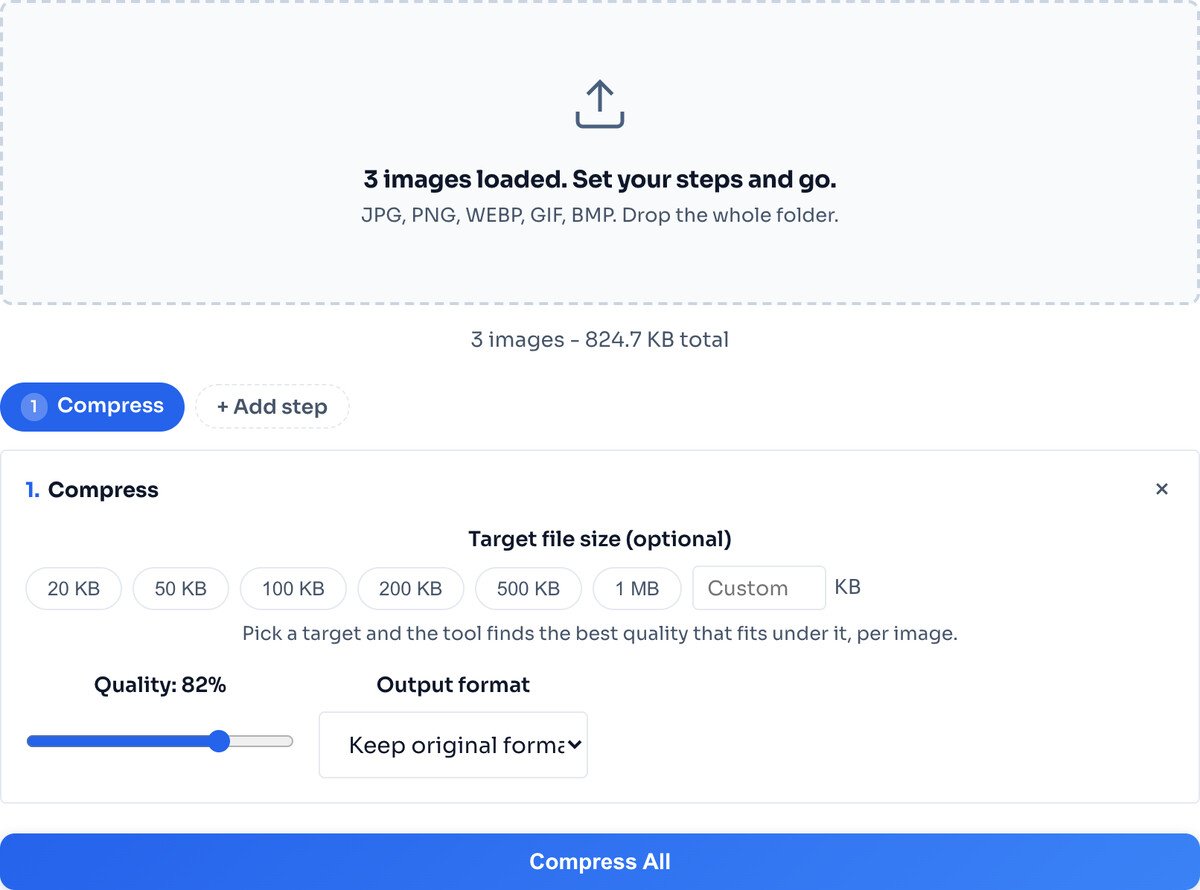
Tap a target size like 100 KB and quality goes to auto, or drag the quality slider yourself. Whatever you choose applies to every image in the batch, and each one is fitted to it individually.
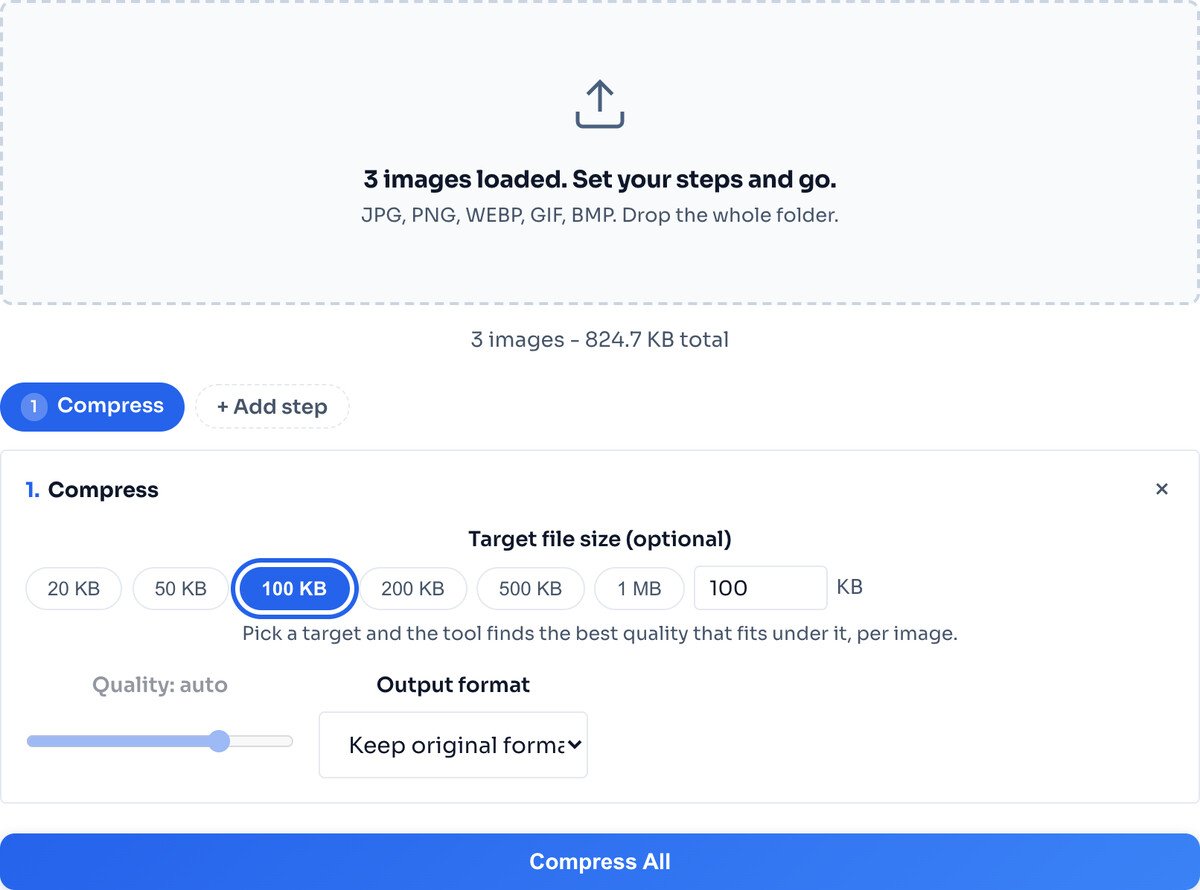
Click Compress All. Each image gets its own result row with the size saving, and a single Download All as ZIP button collects the whole batch. Download individual files too if you only need some.
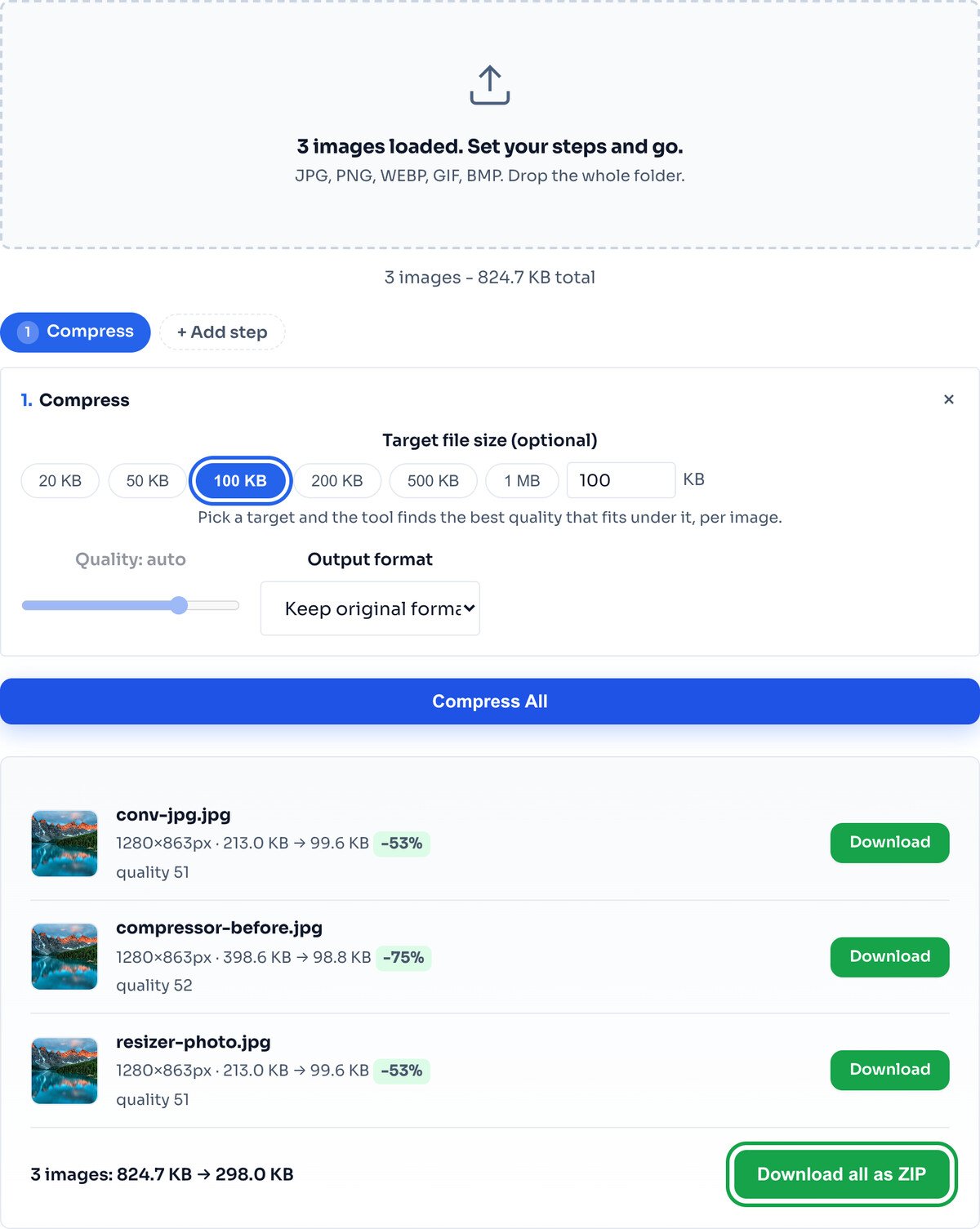
Every image was fitted under the 100 KB target on its own: one landed at 98.8 KB, the others at 99.6 KB. A small photo is never over-compressed just because a bigger one in the batch needed more work.
One at a time, not all at once. The tool compresses each image in sequence rather than in parallel. That keeps your browser memory stable, so a big batch will not crash the tab the way loading everything at once might. It is why a large folder takes a little longer, and that is a deliberate trade for reliability.
Each image on its own terms. When you set a target size, every photo is fitted under it individually. The tool searches for the best quality that fits, per image, so a small graphic and a large photo both land under your number without one dragging down the other.
The ZIP is built in your browser. When you click Download All as ZIP, the archive is assembled locally with a JavaScript library. No file is ever sent to a server, which is what keeps a folder of private or client images private.
Compression runs in sequence to stay memory-safe, so a very large batch takes a while. It is steady rather than instant, which is the right trade for not crashing on big folders.
Compression lowers quality, not dimensions. To also shrink pixel sizes across the batch, add a Resize step, or use the Bulk Image Resizer instead.
PNG is lossless, so a PNG photo barely shrinks on quality alone. Set the output format to JPG or WEBP for the whole batch to unlock a real drop.
There is no fixed cap. Images are processed one after another to keep memory stable, so the practical limit is your device, not a rule. A batch of a few dozen photos is no problem; a huge batch simply takes longer.
Yes. Type a target like 100 KB or 200 KB into the Compress step and every image is fitted under that size individually, at the best quality it can manage. A small photo is not punished because a big one in the same batch needed more work.
No. Mix JPG, PNG, WEBP, GIF and BMP freely. Each keeps its own format unless you set an output format, and each is compressed on its own terms.
The ZIP is assembled inside your browser with a JavaScript library. No files are sent anywhere. You also get an individual download link for each image if you only want some of them.
For photos, 72 to 80 saves significant space with no visible change. For graphics with text or sharp lines, stay at 85 or above. Or skip quality entirely and set a target size, which picks the quality for you.
No. Every image is compressed inside your browser through the Canvas API. Nothing leaves your device, so a folder of private or client photos stays private.
The single-image version, with more target-size depth.
Open toolResize a whole folder to one size and download a ZIP.
Open toolResize one image to exact pixels, percent or fit.
Open toolConvert iPhone photos before compressing them.
Open toolChange the format of a whole batch in one pass.
Open toolEnlarge before compressing when you need more detail.
Open toolStamp a watermark before compressing a batch.
Open toolCrop to shape before compressing.
Open toolYour photo is 6 MB and the upload limit is 1 MB. Or your website takes seven seconds to load...
Read guideLarge images in emails cause slow load times, spam filter triggers, and frustrated recipients...
Read guideMost image SEO advice is a list of thirty tips with no order to it. This is the sequence that...
Read guideA comprehensive comparison of JPG, PNG, and WEBP image formats. Learn when to use each format...
Read guideWordPress looks like it optimises your images. It generates six sizes and wires up srcset, but...
Read guideMost stores are not choosing between image quality and page speed. They are serving a 3000px...
Read guide


