
JPG vs PNG vs WEBP vs AVIF: Which Image Format to Use in 2026
A comprehensive comparison of JPG, PNG, and WEBP image formats. Learn when to use each format...
Read guideTurn JPG, PNG, WEBP, GIF, BMP, AVIF, TIFF, ICO or SVG into the format you need. Batches download as one ZIP, and every file is converted on your own device, never uploaded.
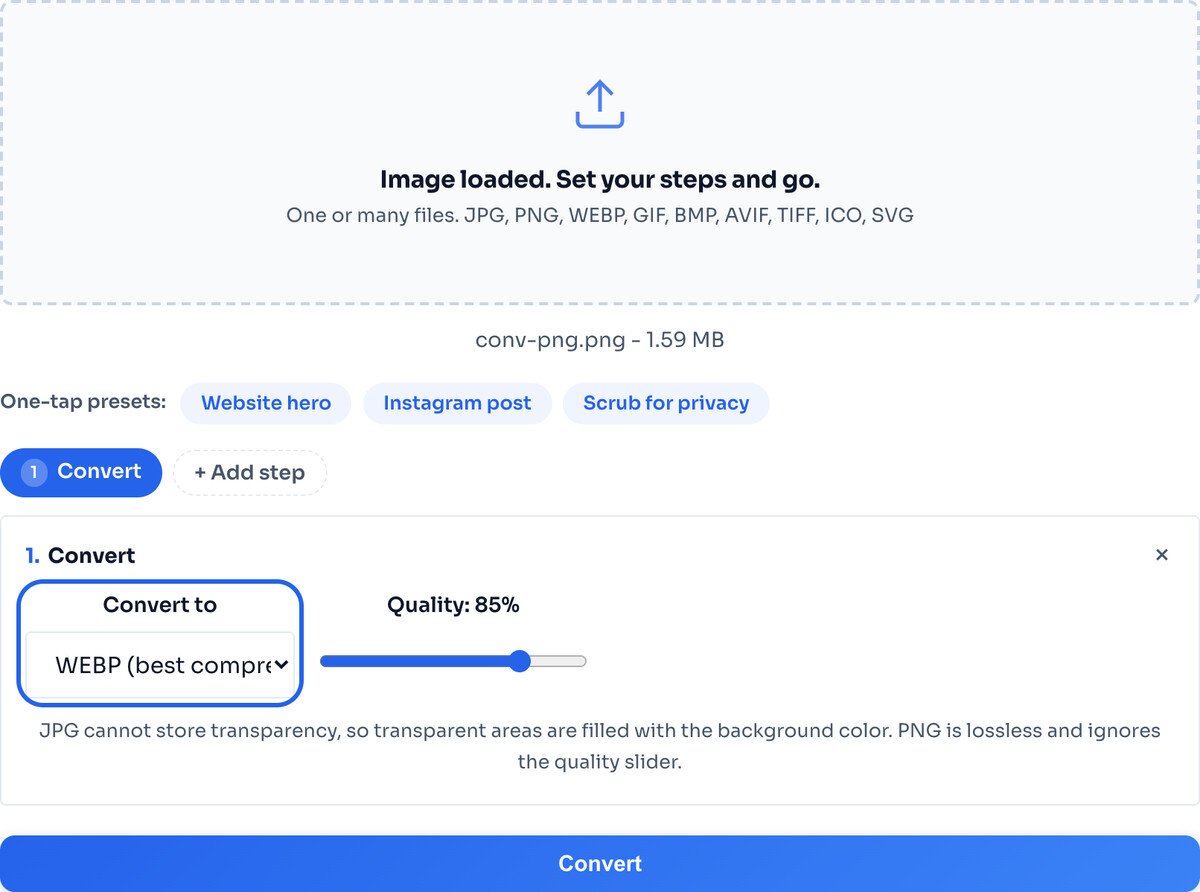
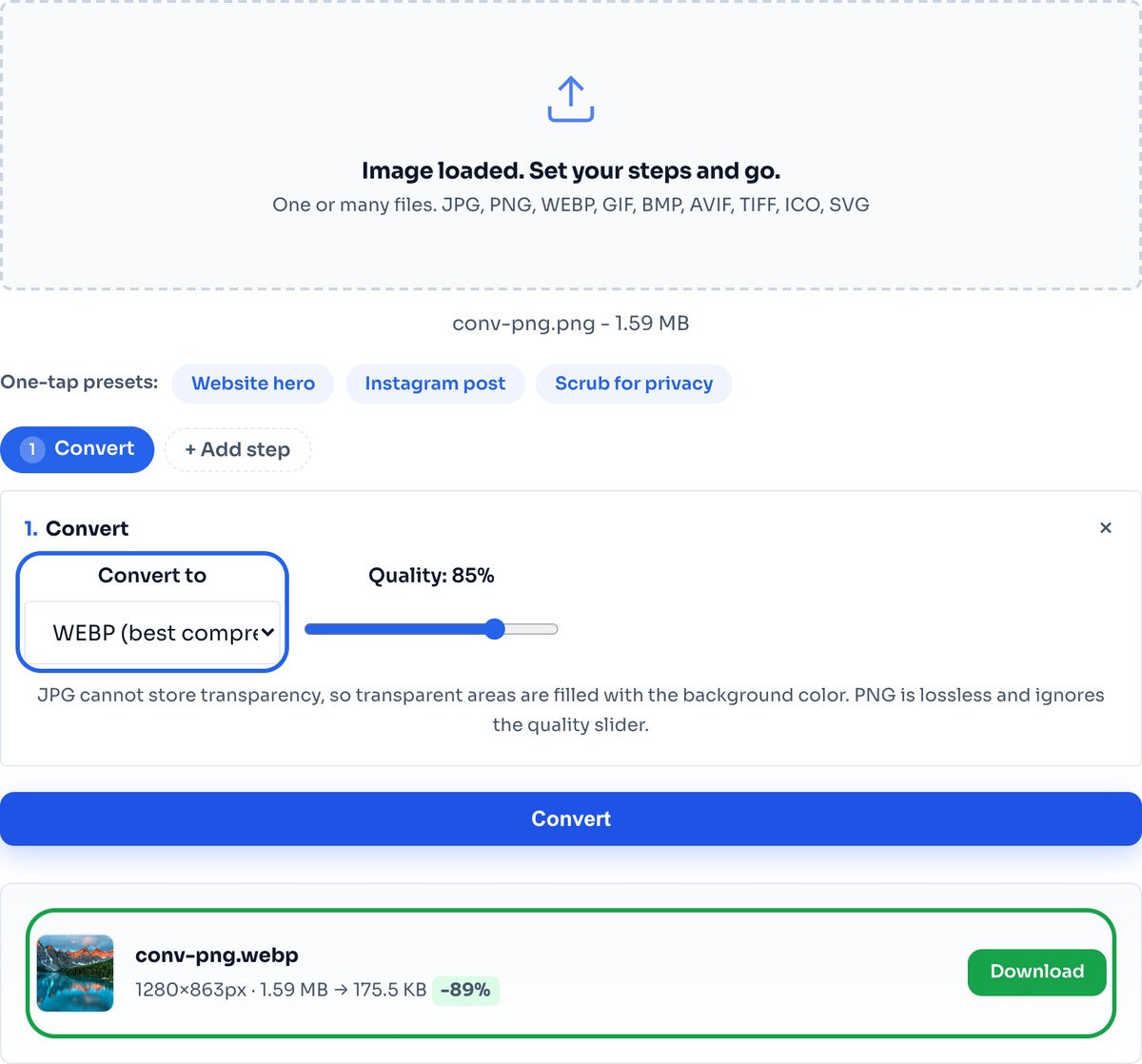
Every screenshot below is this exact tool, converting a real PNG to WEBP.
Drag any image onto the box, or a whole folder for a batch. It loads instantly and stays on your device. The tool reads JPG, PNG, WEBP, GIF, BMP, AVIF, ICO, SVG and, in Chrome and Edge, TIFF.
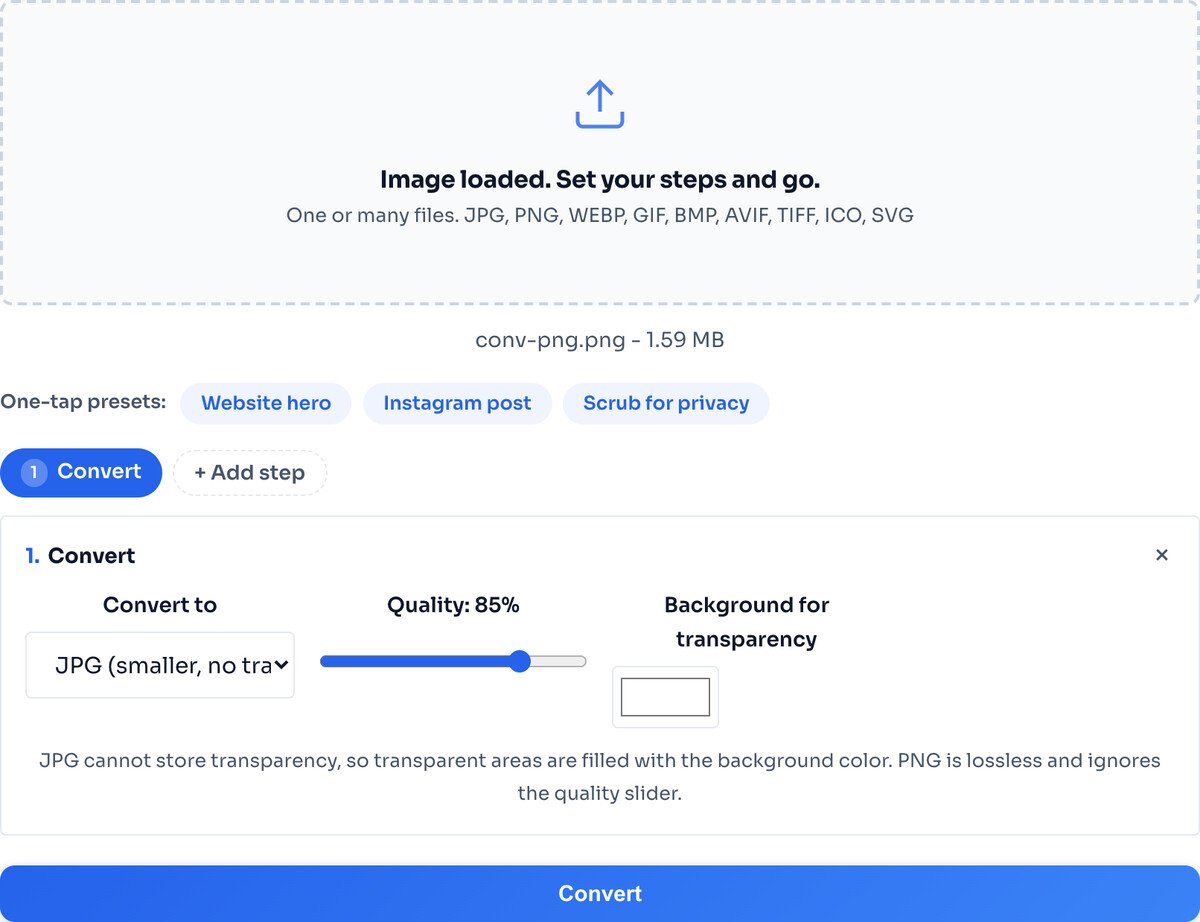
Pick JPG, PNG or WEBP. If you convert to JPG, set a background colour for any transparent areas, since JPG cannot store transparency. The decision guide below covers which to pick.
Hit Convert and the result row shows the new file. Download the single image, or a whole batch as one ZIP. Nothing saves until you click, so you always see the outcome first.
The output format matters more than the tool. Here is the simple rule:
If you are unsure and the image is a photo, WEBP is almost always the answer. If it has a transparent background you need to keep, PNG or WEBP, never JPG.
One tool covers every direction. Here are the paths people use most, and what to expect from each:
For iPhone photos in HEIC, use the dedicated HEIC to JPG tool, which handles that format's special decoding.
Read and write. The universal photo format, no transparency.
Read and write. Lossless, keeps transparency and crisp edges.
Read and write. The smallest modern format for the web.
Read anywhere; write in Chromium browsers. Smallest of all.
Read the first frame. Animation is not kept on conversion.
Read old bitmap files and convert them to a modern format.
Read vector art and rasterise it to a pixel format.
Read icon files. For making favicons, use the Favicon Generator.
This trips people up more than anything else. JPG has no way to store transparency, so the moment you convert a transparent PNG to JPG, those see-through areas have to become something: a solid colour, white by default. You can change that colour in the tool, but you cannot keep the transparency.
So if your image has a transparent background you want to keep, convert to PNG or WEBP, both of which have a full alpha channel. Convert to JPG only when a flat background is fine, or the image was never transparent to begin with.
An animated GIF converts to a single still frame. To keep the animation, leave it as a GIF.
HEIC needs special decoding, so it has its own tool. Use HEIC to JPG for photos straight off an iPhone.
A vector SVG is flattened to pixels at a fixed size on conversion. It cannot be scaled infinitely afterwards like the original vector.
Anything your browser can render: JPG, PNG, WEBP, GIF (first frame), BMP, AVIF, ICO, SVG, and TIFF in Chrome and Edge. For iPhone HEIC photos, use the dedicated HEIC to JPG tool, which handles that format specifically.
Yes, JPG has no alpha channel, so any transparent area is filled with a background colour, white by default. If you need to keep transparency, choose PNG or WEBP as the output instead.
WEBP for anything going on a web page, since it is smallest and every current browser reads it. JPG when you are handing a photo to someone or to older software. PNG only when you need transparency or crisp text and lines. The decision guide above walks through it.
Yes, in Chromium browsers like Chrome and Edge, which can write AVIF. AVIF is smaller still than WEBP, but support for creating it is narrower, so WEBP remains the safe modern pick for most people.
No. An animated GIF converts to a single still frame in the new format. To keep animation, leave the file as a GIF.
No. Conversion runs entirely in your browser through the Canvas API, so the file never leaves your device. You can turn off your wifi and it keeps working.
No hard limit. Very large files over about 100 MB can slow an older device, since all the work happens locally on your machine, but modern phones and laptops handle them fine.
Convert iPhone HEIC photos, singly or in bulk.
Open toolShrink to an exact size after converting.
Open toolChange dimensions in the same pass as the format.
Open toolConvert and compress a whole batch at once.
Open toolCombine converted images into one PDF.
Open toolPull every page of a PDF out as an image.
Open toolTurn a PNG into favicons and a manifest.
Open toolEncode an image as an inline data URI.
Open toolA comprehensive comparison of JPG, PNG, and WEBP image formats. Learn when to use each format...
Read guideAVIF adoption grew 386% in two years while JPEG keeps fading. But does that mean you should...
Read guideEvery photo contains hidden metadata. Learn what EXIF data is, what it reveals, why GPS...
Read guideMost image SEO advice is a list of thirty tips with no order to it. This is the sequence that...
Read guideWordPress looks like it optimises your images. It generates six sizes and wires up srcset, but...
Read guide


