
Instagram Image Sizes Guide (2026): Every Dimension You Need
Instagram resizes, crops and recompresses everything you upload, so the dimensions you export...
Read guideThis image splitter cuts one picture into equal pieces: two halves, a 3x3 grid, a set of Instagram grid posts, swipeable carousel slides, or sheets you can print and tape into a poster. You see every cut line before you split, and nothing is uploaded.
JPG, PNG, WEBP or GIF. It stays on your device.
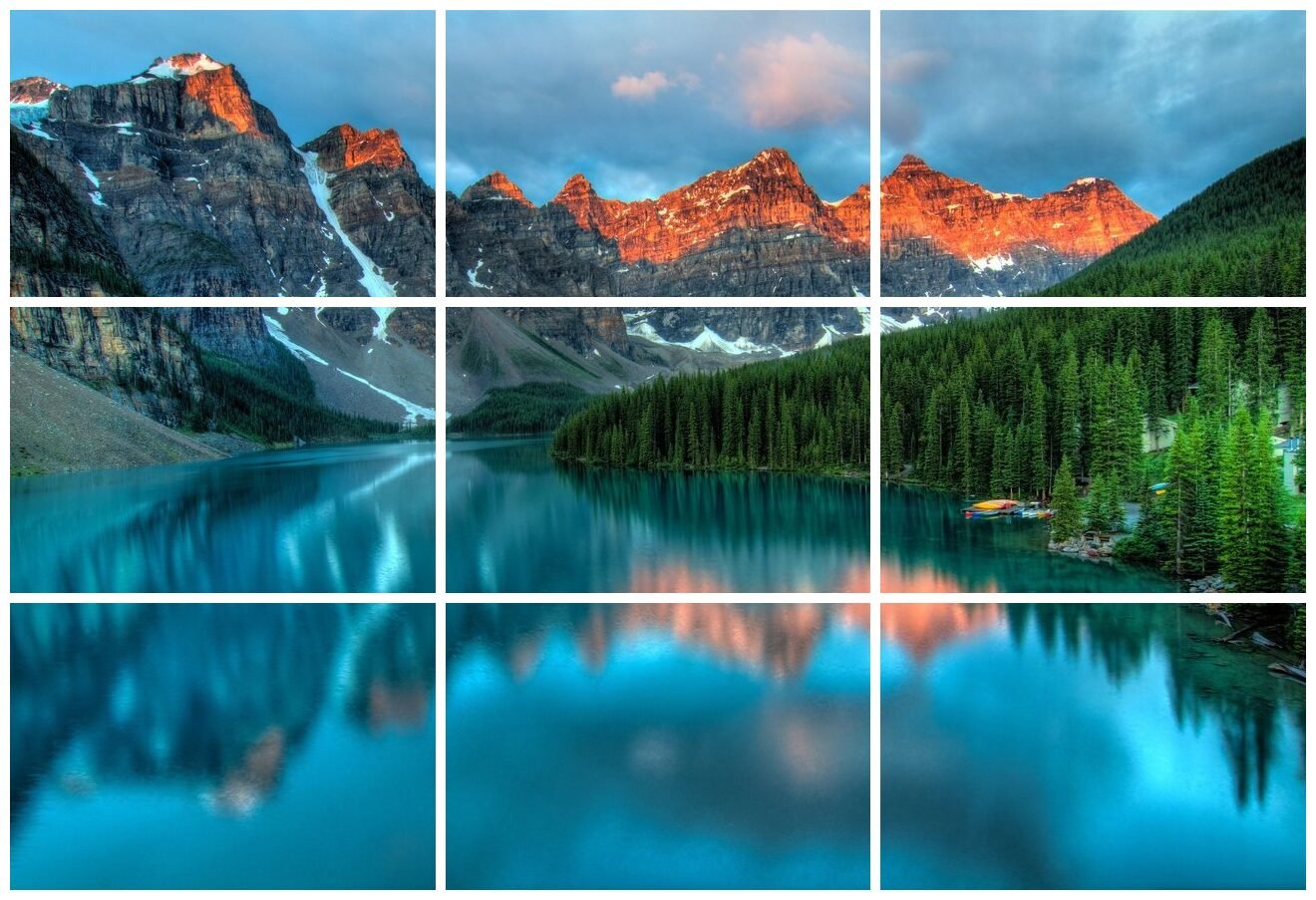
We ran resizer-photo.jpg, a 1280 x 863 JPG of 213.0 KB, through Grid mode at 3 x 3 with JPG quality 92. These are the files the tool produced.
| Measured | Keep every pixel | Identical tiles |
|---|---|---|
| Tile widths | 427, 426, 427 px | 426 px each |
| Tile heights | 288, 287, 288 px | 287 px each |
| Pixels dropped | None | 2 columns, 2 rows |
| Smallest tile | 16.5 KB | 16.8 KB |
| Largest tile | 57.8 KB | 57.7 KB |
| All nine as JPG | 288.4 KB | 299.2 KB |
| All nine as PNG | 2,058.9 KB | 2,052.8 KB |
Why the tiles are not all the same size. 1280 divided by 3 is 426.67 and 863 divided by 3 is 287.67, and a tile cannot hold two thirds of a pixel. The default setting places each cut at the nearest whole pixel (427, 853), so the middle column is 426 pixels wide and the outer columns 427. Nothing is thrown away and the cuts sit as close to equal as pixels allow.
If you need every tile to be exactly the same size, say for a template that expects identical squares, pick Identical tiles. The tool then uses 426 x 287 for all nine and trims the 2 leftover columns and 2 leftover rows, taking one from each edge so the grid stays centered.
Why nine tiles weigh more than the original. The source was saved at JPG quality 85 and the tiles at 92, and each tile carries its own file header and its own compression boundaries. Lower the quality slider to around 85 if total size matters, or choose PNG when a tile will be edited again, at roughly seven times the size.
In January 2025 Instagram replaced the square profile grid with taller 3:4 thumbnails, a change announced by Instagram head Adam Mosseri. Posts themselves did not change shape: a full portrait post is still 4:5, or 1080 x 1350 pixels. The grid simply shows each post cropped to 3:4.
That crop is what breaks most grid splitters. A 3:4 thumbnail of a 1080 x 1350 post is 1013 pixels wide, so about 34 pixels are hidden on each side. Cut a picture into plain 4:5 pieces and the grid shows a visible jump at every seam. Cut it into squares and far more goes missing.
The Instagram grid mode works backwards from what the grid displays. It divides the picture into 3:4 cells, then extends each post sideways into the neighboring cell so the hidden 34 pixels are real picture, not a gap. On the profile the nine thumbnails meet cleanly; open any single post and it still looks like a complete image.
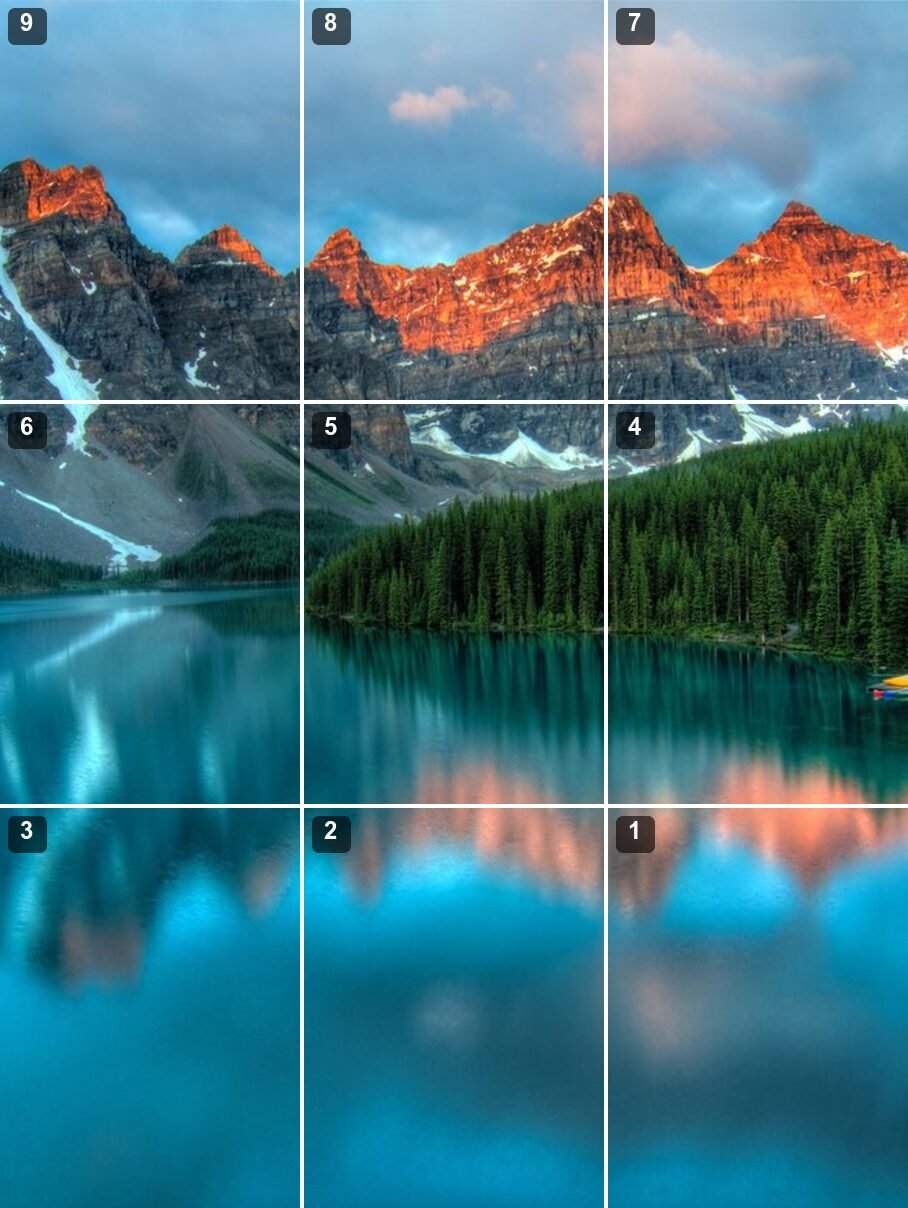
Posting order. The newest post always appears top left and pushes the others along. So you post the bottom right tile first and the top left tile last. The tool names the files post-01 to post-09 in that order, and the preview shows the number on each cell.
Pinned posts. Pinned posts sit in front of everything else. With one or two pinned, the mosaic shifts out of line. Unpin them while you post, or pin exactly three so they fill a row of their own.
Resolution. Each post is 1080 pixels wide, so a 3-column grid wants a source about 3,100 pixels wide or more. Our 1280 pixel test photo gave posts built from 445 source pixels across for one row and 230 for three rows, enlarged to 1080. The tool tells you this number before you split.
resizer-photo.jpg in Instagram grid mode, 1 row, JPG quality 92.
To fill a 3:4 row the tool used the full 1280 pixel width and the middle 557 pixels of height, so about 306 rows were cropped away. The crop position slider moves that window up or down.
Carousel mode cuts a wide image into slides that follow on from each other, so swiping moves along one continuous picture. Pick 4:5 portrait (1080 x 1350) or 1:1 square (1080 x 1080); the tool suggests a slide count from your image's shape, and Instagram accepts up to 20.
| compressor-before.jpg, 1280 x 863, 2 slides at 4:5 | Crop to fit | Add bars |
|---|---|---|
| What happens | 63 px of height cropped | Bars added at the sides |
| Source pixels per slide | 640 px across | 690 px across, bars included |
| Output | 2 x 1080x1350 | 2 x 1080x1350 |
| Both slides together | 562.7 KB | 534.9 KB |
Two 4:5 slides make an 8:5 strip, and this photo is a little taller than that. Crop to fit trims the difference; Add bars keeps the whole picture and fills the gap with the color you choose. In the profile grid a carousel shows only its first slide, cropped to 3:4.
Print pages mode turns one picture into a poster made of ordinary sheets. You set the paper, the number of pages across and down, the margin your printer needs and an overlap; the tool fits the whole image across the sheets and saves one file per page.
We split resizer-photo.jpg across 2 A4 sheets in portrait at 300 DPI: each page is 2480 x 3508 pixels with 300 DPI stored in the file. On US Letter at 150 DPI each page measured 1275 x 1650 pixels.
With a 10 mm overlap, the last 10 mm of picture on one page is repeated at the start of the next. We compared those strips on the two A4 pages and they match. That gives you room to trim and line up by eye.
Our 1280 pixel photo across two A4 sheets prints 37.0 x 24.9 cm, which is only 88 source pixels per inch. The tool shows that figure and warns below 150, where a print starts to look soft at reading distance.
Printing it. Open each page and print at 100% or Actual size. Fit to page shrinks the sheet slightly and the pieces will no longer line up. Each page has small gray tick marks in the margin and a row and column label. Cut along the ticks on one edge, lay that sheet over the overlap of its neighbor and tape from the back. Several pages at once are easier to print by combining them with Image to PDF, still choosing actual size.
| You want | Mode | What you get |
|---|---|---|
| Split an image in half | Grid, halves preset | 2 files at the original pixel size |
| Equal tiles for a puzzle, a game or a slide | Grid, any rows x columns up to 20 x 20 | Tiles at the original pixel size, row-col names |
| A picture spread across your Instagram profile | Instagram grid | 3 to 18 posts at 1080 x 1350, numbered in posting order |
| A swipeable panorama post | Carousel | 2 to 20 slides at 1080 x 1350 or 1080 x 1080 |
| A poster from a home printer | Print pages | A4 or Letter pages at 150, 200 or 300 DPI |
Grid mode never resizes, so tiles keep every original pixel. The Instagram and carousel modes resize to 1080 pixels wide because that is the width Instagram stores.
When an Instagram post or a print page needs more pixels than your picture has, the tool enlarges it and the result looks softer. It shows the source pixel count first so you can decide; the Image Upscaler enlarges more smoothly, but no tool can recover detail that was never captured.
You upload the posts yourself, in order. Pinned posts, a post you later delete, or a changed grid thumbnail will knock the mosaic out of line, and Instagram can change its grid crop again without notice.
Every cut is a straight line at an equal spacing. For one off-center crop, use the crop tool instead.
Print mode saves page images with the right size and DPI. Whether they print at true size depends on choosing 100% in the print dialog, and every printer has its own unprintable edge, which is why the margin is adjustable.
Tiles are drawn fresh from the pixels, so camera details and GPS location are not copied into them. Most people sharing on social media want that anyway. HEIC photos need converting to JPG first.
Choose an image, pick a mode (Grid, Instagram grid, Carousel or Print pages), check the cut lines on the preview, then press Split image. Every tile appears in a preview grid; click one to save it alone or use Download all as ZIP. The image is processed by your browser and never uploaded.
In Grid mode, press Left / right halves for two side-by-side pieces or Top / bottom halves for two stacked pieces. If the width is an odd number of pixels, one half is 1 pixel wider so nothing is lost, or switch to Identical tiles and the single leftover column is trimmed off.
Use the Instagram grid mode, not the plain 3x3 preset. It makes nine 1080 x 1350 posts sized for the 3:4 profile grid and numbers them in posting order. Post number 1 (bottom right) first and number 9 (top left) last, because the newest post always lands in the top left corner.
By default the extra pixels are spread out, so some tiles are 1 pixel wider or taller and every pixel of the original ends up in a tile. Our 1280 x 863 test photo split 3x3 gave tiles 426 or 427 pixels wide and 287 or 288 tall. Choose Identical tiles to get nine 426 x 287 tiles instead, with 1 pixel trimmed from each edge.
Open Print pages, choose A4 or US Letter, set how many pages across and down, and keep a 10 mm overlap. Each page is saved at the paper size with its print resolution written into the file. Print at 100% or Actual size, trim along the small tick marks and tape the sheets together.
Yes. Carousel mode cuts a wide image into 2 to 20 slides at 1080 x 1350 or 1080 x 1080, so swiping moves along one continuous picture. If the shape does not match, choose Crop to fit or Add bars to keep the whole image. Instagram allows up to 20 items in one carousel.
No. The splitting, the JPG or PNG encoding and the ZIP are all done by JavaScript in your browser tab. The only thing this page downloads is the code itself, and closing the tab discards every tile.
One full-size 4:5 Instagram portrait post.
Open toolA square Instagram post at the right size.
Open toolTrim the picture before you split it.
Open toolPut your print pages into one PDF.
Open toolThe reverse: join several images into one.
Open toolInstagram resizes, crops and recompresses everything you upload, so the dimensions you export...
Read guideCropping is the cheapest edit you can make and the one most likely to decide whether a photo...
Read guideEvery platform wants a slightly different size, and getting it wrong crops your face off or...
Read guide
